A real mailbox on your own domain
Self-hosted email on Cloudflare Workers: mailboxes you can read and reply in, a send API, and organizations so one deployment can serve several clients. Your account, your data.
Cloudflare Email Sending is in beta. Receiving through Email Routing is generally available; sending depends on a beta product, so treat it accordingly before putting a business on it.
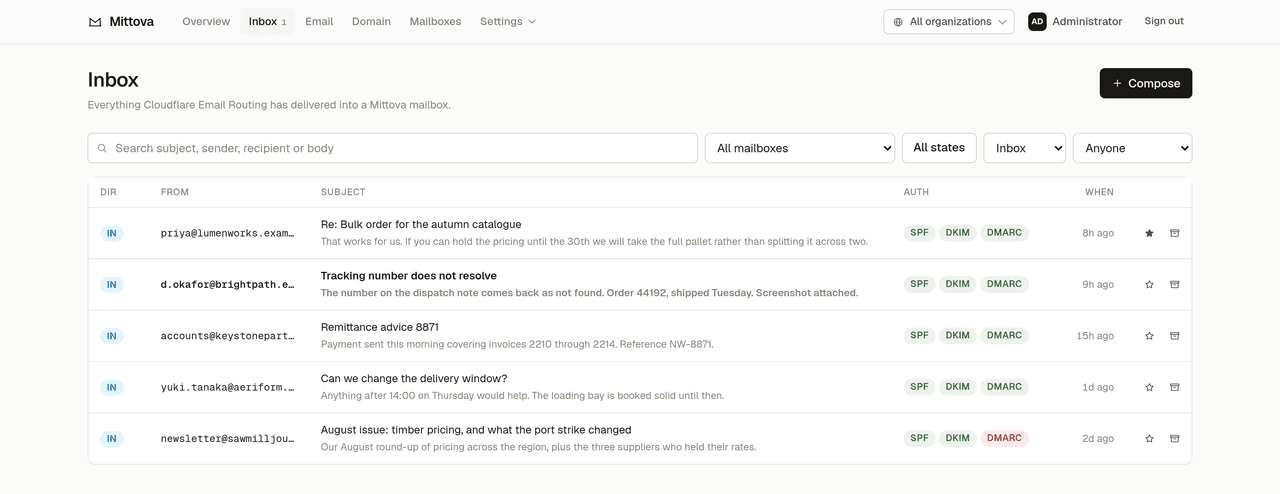
- Receive, read, reply
- Inbound mail lands in a Worker, is parsed into D1 and R2, and threads correctly on the way back out.
- Send from your own domain
- Outbound mail leaves DKIM-signed by your domain, with live SPF, DKIM and DMARC checks and per-mailbox caps.
- A developer API
-
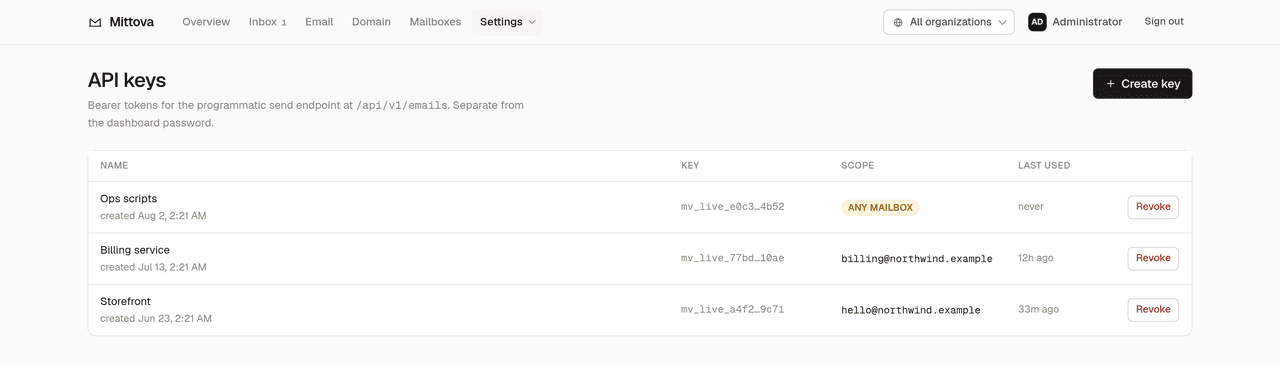
Bearer-token
POST /api/v1/emails, reusable templates, and HMAC-signed webhooks. - Shared inboxes
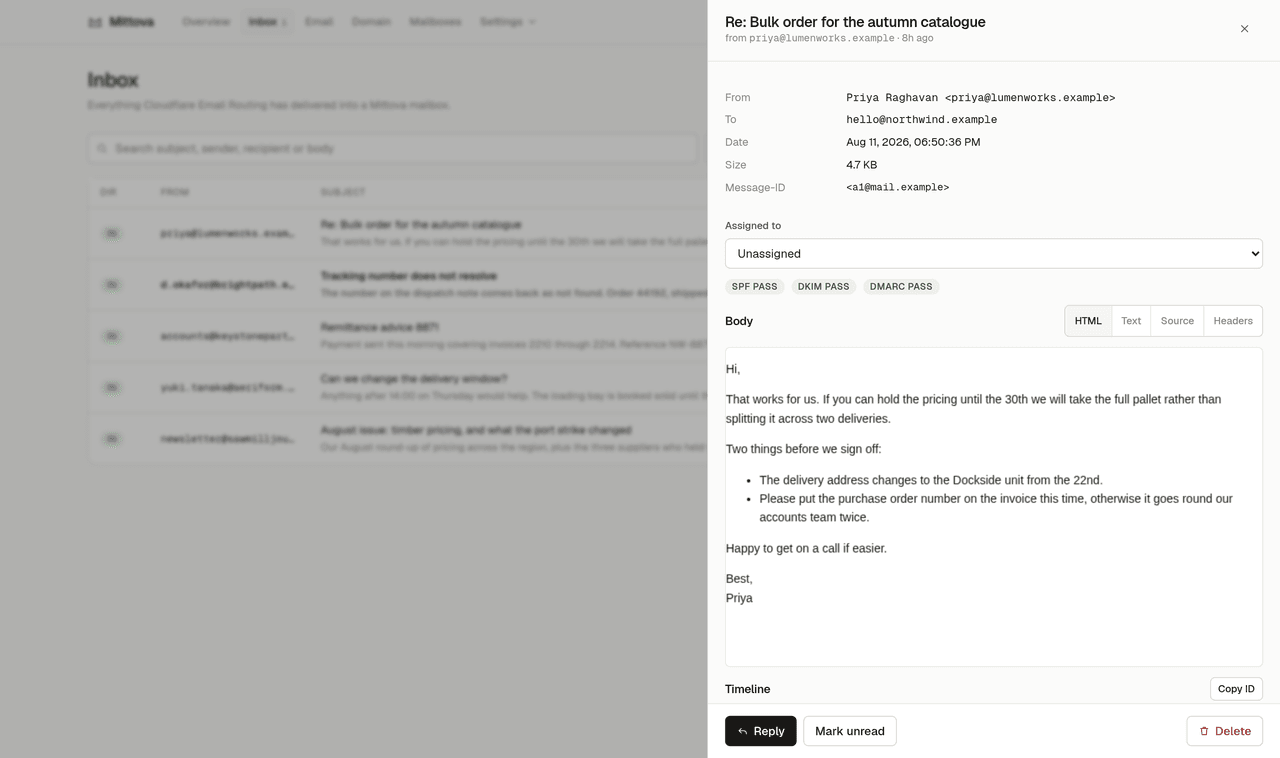
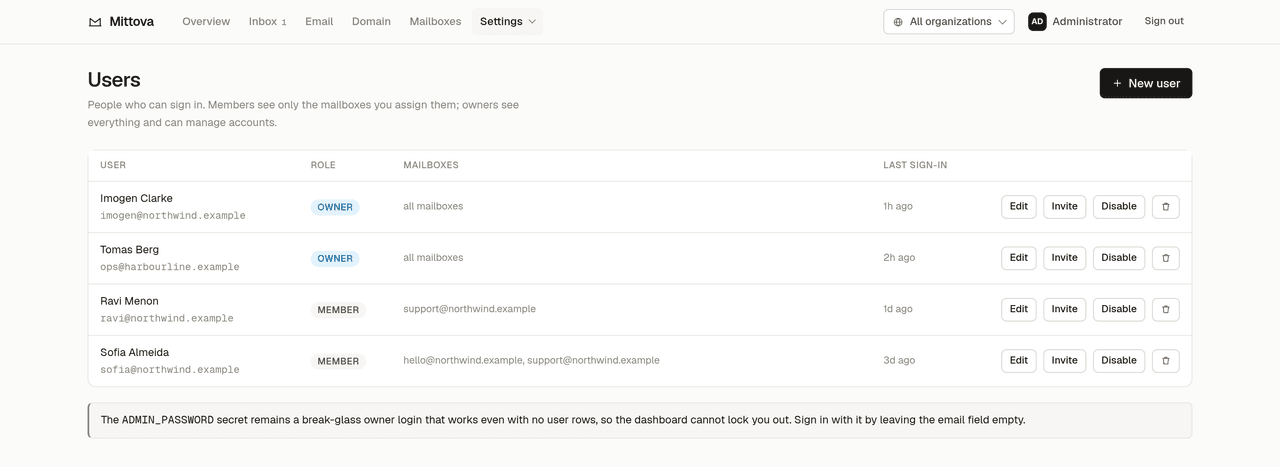
- Several people on one address, with per-user read state and assignment rather than a shared password.
- Organizations
- One deployment serves several unrelated clients, each seeing only its own domains, mailboxes, people and keys.
- Search that works
- Full-text search over every message via SQLite FTS5, across as many domains as you add.
The dashboard is the product
Everything below is the real interface, filled from
npm run seed:demo — two organizations, three mailboxes and some mail, all
fabricated under .example. The same data is running at the live demo.
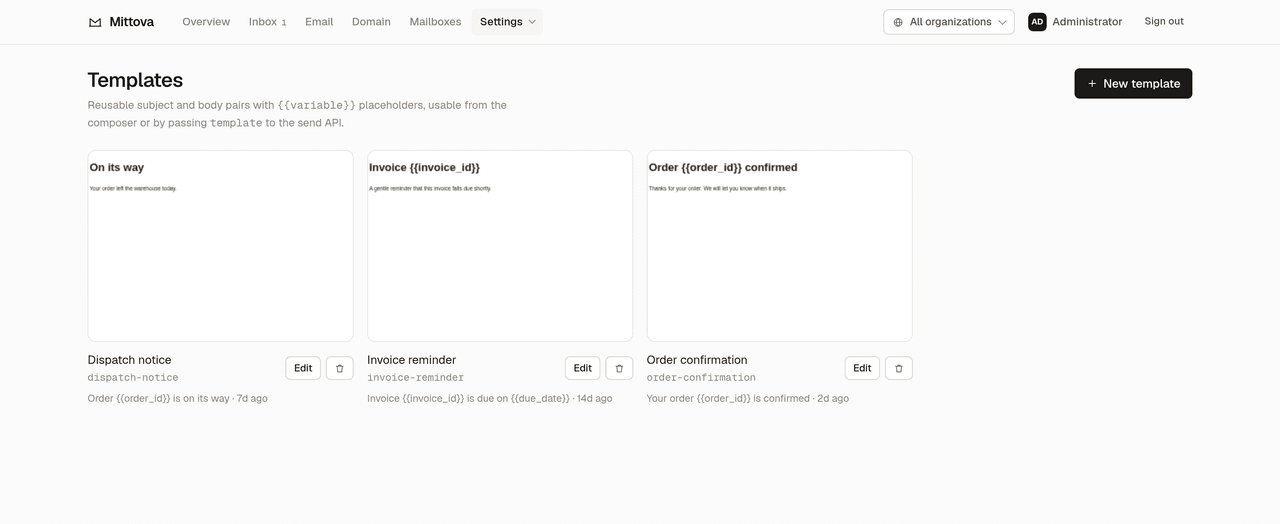
template to the
send API.
Mittova sits in a gap
Hosted APIs send well but hold your mail and do not let you read it. Classic self-hosted mail servers give you everything, and a server to defend. Email Routing on its own forwards mail but stores nothing.
| Mittova | Hosted API(Resend, Postmark) | Classic self-hosted(Mailcow, Mail-in-a-Box) | Email Routingon its own | |
|---|---|---|---|---|
| Where your mail lives | Your Cloudflare account | The vendor's infrastructure | Your server | Nowhere — it is forwarded |
| Server to run and patch | None | None | A VPS you own | None |
| IP reputation | Cloudflare's | The vendor's | Yours to build and defend | Cloudflare's |
| Read and reply to mail | Dashboard, with threading | Not offered | Yes, full mail stack | No |
| Programmatic send | POST /api/v1/emails |
Yes | Your own SMTP | No |
| Several clients, one deployment | Organizations | One account each | One server each | No |
| Runs your own code on inbound | Yes, it is a Worker | Webhooks only | Yes, with plumbing | Yes, but nothing is stored |
Scroll the table sideways to see every column.
The trade is deliberate: you are choosing to depend on Cloudflare rather than on a vendor or on a server. If that dependency is unacceptable, a classic mail server is the honest answer.
Three more things worth knowing before you pick. Mittova is for transactional mail only — Cloudflare Email Service is not for bulk or marketing sending, and Mittova deliberately has no broadcast feature. An organization is not a separate database — isolation is enforced in the query layer against one D1 instance, so clients who need their data physically separate want separate deployments. And your domain must use Cloudflare DNS, because Email Routing and Email Sending both depend on it.
Nothing to Mittova. Something to Cloudflare.
Mittova has no price. It is MIT licensed and you run it yourself, so there is no seat fee, no per-message fee and nobody to invoice you. What you pay for is the Cloudflare account it runs in.
Be careful with the word free. Receiving genuinely is free — Email Routing costs nothing on any plan and inbound mail is unmetered. Sending is not. Cloudflare Email Service will only send to arbitrary recipients on the Workers Paid plan, which starts at $5 per month; that is a minimum charge with usage metered on top, not a flat rate. Sending only to destination addresses you have verified in your own account stays free on any plan, which is enough to try Mittova but not enough to run a business on it.
- Workers — 100,000 requests a day on the free plan. The paid plan is a $5 monthly minimum including 10 million requests, then $0.30 per additional million — and separately 30 million CPU milliseconds, then $0.02 per additional million. Requests are only half the meter, so a slow handler costs money that a request count alone will not show you. There is no charge for egress or bandwidth. That $5 covers Workers and Workers KV; D1 and R2 are metered on top of it.
- D1 — free allowance of 5 million rows read and 100,000 rows written a day, and 5 GB of storage. Message metadata and the search index live here.
- R2 — free allowance of 10 GB-month of standard storage, 1 million Class A and 10 million Class B operations a month. Raw MIME and attachments live here. Egress is not charged; operations still are.
- KV — free allowance of 100,000 reads a day but only 1,000 writes, with 1 GB of storage. Sessions and rate-limit counters live here, so on a free plan this is usually the first ceiling you meet, ahead of anything to do with mail volume.
- Email Sending — 3,000 outbound messages a month are included, then $0.35 per thousand. Inbound is unlimited. New accounts start with a conservative daily cap that scales with your sending behaviour and deliverability; Cloudflare does not publish the schedule for that, so plan for a ramp rather than a number.
A small deployment — one domain, a few mailboxes, transactional volume — is a $5 Cloudflare subscription and very little metered usage on top. It is not zero, and a page that told you it was would be lying to you.
Figures checked against Cloudflare's own pricing pages on 12 August 2026. They are Cloudflare's to change, so treat these as the shape of the bill rather than a quote: Workers, D1, R2, KV and Email Service.
Clone it, point it at a domain, deploy
You need a domain using Cloudflare DNS, a Cloudflare account with Workers, D1, R2 and KV available, and Node.js 20 or newer.
Clone and install
git clone https://github.com/authegg/mittova.git
cd mittova
npm install && npm --prefix dashboard install
Create the resources and deploy
npx wrangler login
npm run setup      # creates D1 + R2 + KV, writes wrangler.jsonc,
                   # and sets the admin password
npm run deploy
npm run setup prints the admin password once. It is not recoverable
afterwards.
Enable Email Routing by hand
This step cannot be automated, and it is worth knowing before you start.
POST /zones/{zone}/email/routing/enable returns 403 even for a token
carrying every Email Routing permission group, so you have to turn Email Routing and
Email Sending on for the domain yourself, in the Cloudflare dashboard under
Compute → Email Service. Mittova links you to the right page and
detects when you have done it.
Everything else it can do for itself: given a zone id and a
CF_API_TOKEN scoped to two policies, it onboards Email Sending — with
Cloudflare writing the cf-bounce MX, SPF, DKIM and DMARC records, so
the token never needs DNS edit permission — and creates the routing rule for each
mailbox.
Sign in
Open https://mail.yourdomain.com, leave the email field empty, and use
the password from step two. Further domains are added from the dashboard, no
redeploy.